Turn data into actionable insights
Comprehensive reports on mould, damp, fuel poverty, and compliance. Access insights from your mobile device or web dashboard.
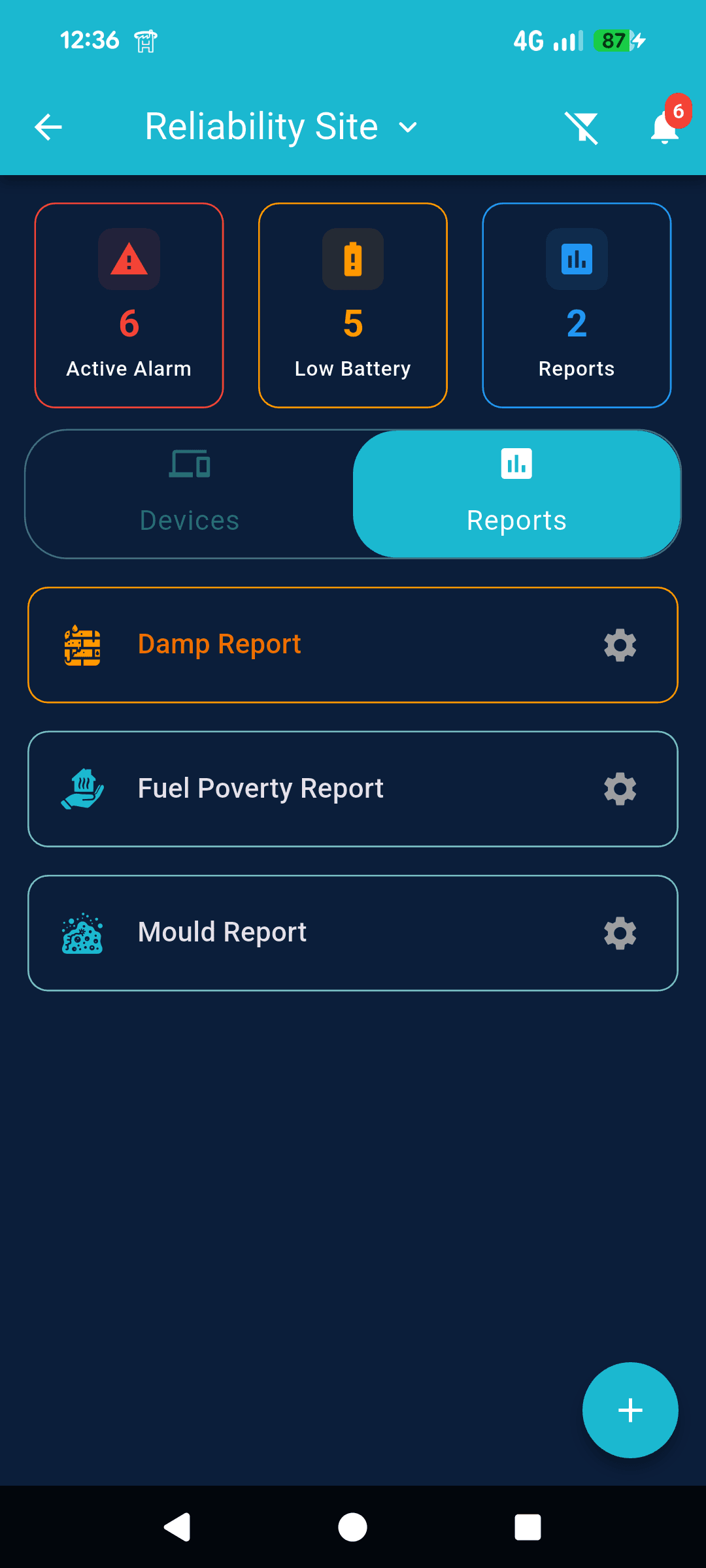
Quick Dashboard View
Get an instant overview of all issues across your portfolio. The dashboard shows risk levels at a glance with colour-coded indicators (A, B, C) representing different severity levels. Navigate between Devices and Reports tabs, and quickly access specific report types like Damp, Fuel Poverty, and Mould reports—each with configuration options.
Detailed Risk Analysis
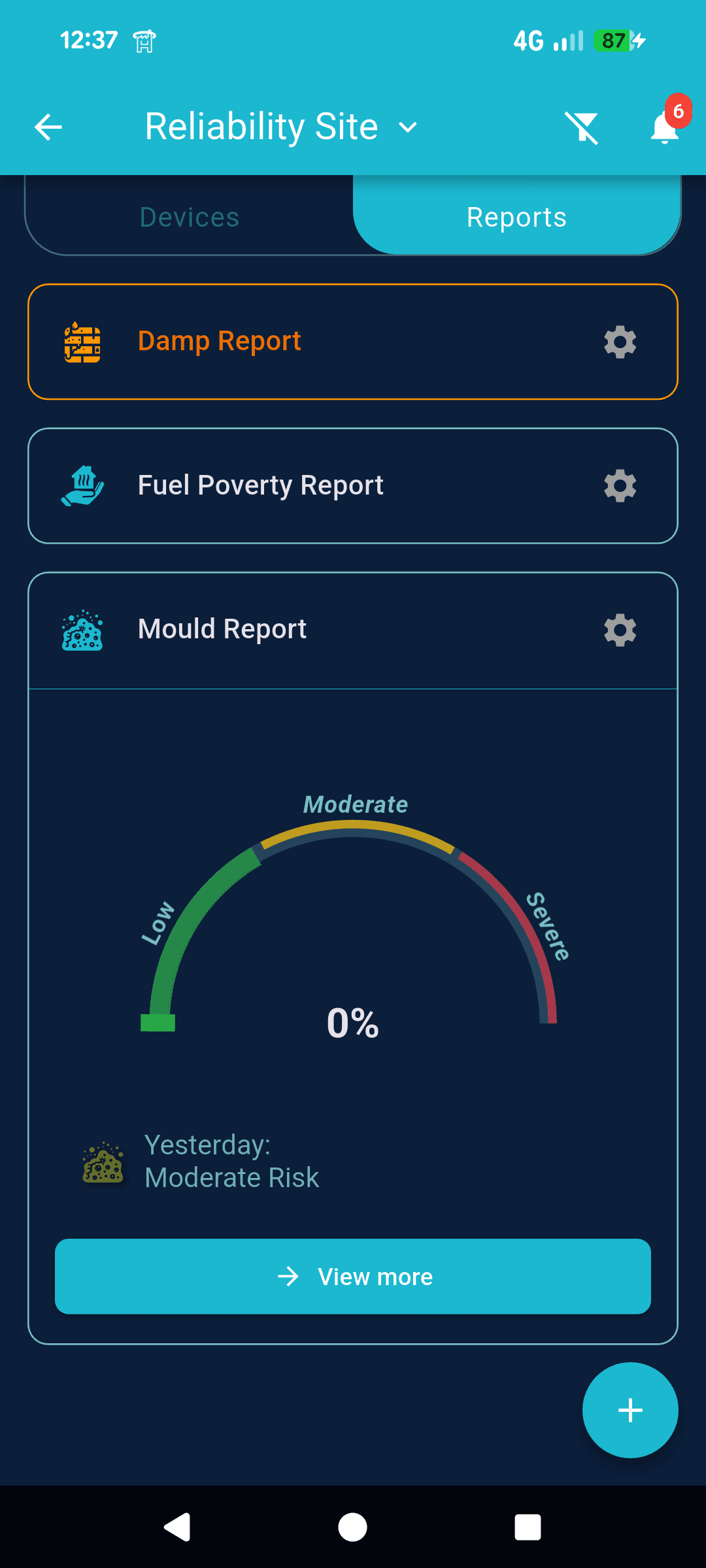
Dive deep into specific risk reports. Select from Damp, Fuel Poverty, or Mould reports to see detailed visualisations. The circular gauge displays risk percentages with colour-coded indicators (green to red), showing mould risk levels. Access property information and view comprehensive data for each report type to understand the root causes and take informed action.
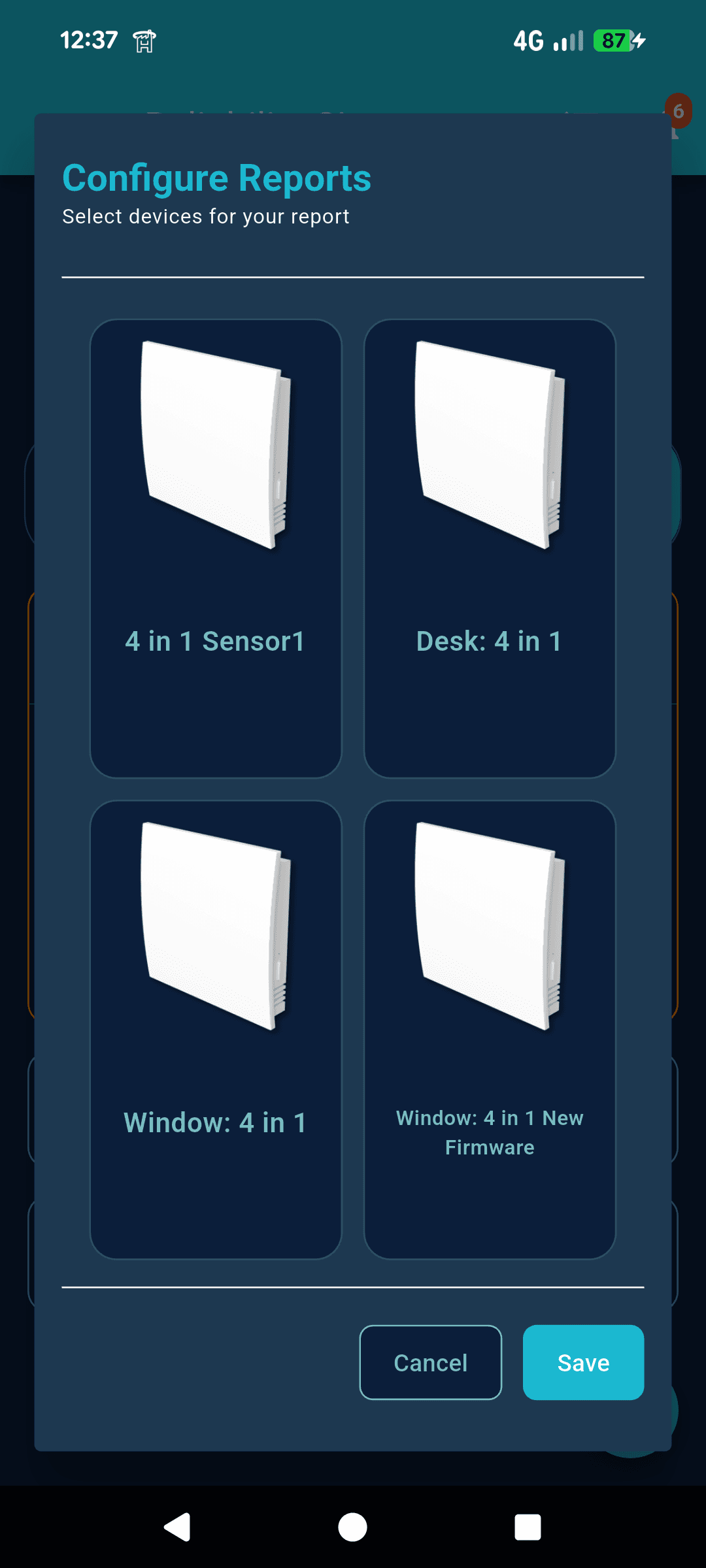
Device Configuration
Assign specific IoT devices to each report type. The configuration screen shows all available devices (IoT Sensor, Deck 4-1, Window 1-1, Water Heater) in a grid layout. Select which sensors contribute to mould risk, fuel poverty indicators, or damp detection calculations. Save your configuration to ensure accurate, customised reporting based on your specific device setup.
How it works
From device configuration to actionable insights—a simple three-step process
1. Configure Devices
Assign your IoT sensors to specific report types. Choose which devices contribute to mould risk, fuel poverty, or damp detection.
2. Monitor Dashboard
View your reports dashboard for a quick overview. See risk levels (A, B, C) and identify properties that need immediate attention.
3. Analyse Details
Dive into detailed risk reports. Review mould risk scores, fuel poverty indicators, and damp condition analysis with visual gauges.
Start generating reports
Access comprehensive analytics and make data-driven decisions from anywhere.